



POS 13 is the Place of Service code used on professional claims when a healthcare provider furnishes an in-person service to a patient living in an Assisted Living Facility. It identifies where care actually happened. The payer uses that setting to evaluate the procedure, the service location, the documentation, and the applicable payment treatment.
Assisted Living Billing at a Glance
Here is what the Centers for Medicare & Medicaid Services (CMS) assigns to this setting, and what must match on the claim.
|
Field |
Information to provide |
|---|---|
|
Code |
13 |
|
CMS setting |
Assisted Living Facility |
|
Claim type |
Professional claim |
|
Typical encounter |
In-person care furnished inside the qualifying facility |
|
Current Evaluation and Management (E/M) family |
Home or Residence Services, 99341 to 99350 |
|
Medicare payment classification |
Non-facility |
|
Claim location field |
CMS-1500 Item 24B, or 837P Loop 2300 CLM05-1 / Loop 2400 SV105 |
Miss one, and the claim describes a visit that didn't happen the way you documented it.
The address on file doesn't settle this. What matters is where the patient physically was, and how that building was classified on that date. Your note, the facility type, the service line, and the claim fields all have to agree.
What Does Place of Service 13 Mean?
Place of service 13 identifies an Assisted Living Facility on a professional claim. CMS defines that setting narrowly. It means a congregate residential facility with self-contained living units, an assessment of each resident's needs, and on-site support around the clock.
That facility must also be able to deliver or arrange some health care. For a billing team, the code answers one question: where was the patient during the encounter? Nothing in it describes what was done.
You'll also see the same code written as 13 place of service in payer portals and clearinghouse reports.
Official CMS Definition of an Assisted Living Facility
CMS has listed this setting since October 1, 2003, and the definition turns on the building, not the patient. Five characteristics define it, per the CMS Place of Service Code Set.
- Congregate residential organization
- Self-contained living units
- Assessment of each resident's needs
- On-site support 24 hours a day, seven days a week
- Capacity to deliver or arrange some health care and other services
Note what the definition does not require: skilled nursing, a Medicare provider agreement, or a hospital relationship. A building can meet all five characteristics and still bill nothing to Medicare itself. The setting classification and the facility's own billing status are separate questions.
What the Definition Means for a Billing Team
A resident might live in an apartment-like unit with a locking door and a kitchenette. It's still a facility that runs organized support, and it still carries its own code.
That's where teams slip. A private residence, an assisted living unit, and a nursing facility room look similar on paper. POS 13 in medical billing describes the classification, not the furniture, and that classification has to be confirmed against a record rather than read off a sign.
Practices billing across several care settings should keep a current reference for the CMS place of service codes used on professional claims.
Does the Facility Have to Be CMS Certified?
No. The national POS definition describes a setting. It doesn't create a federal certification test a building passes or fails before you bill, and no CMS list of approved assisted living facilities exists.
The test isn't whether the building uses “assisted living” in its name. Confirm the setting against the CMS definition and against your payer's classification requirements for the service. Where state licensure categories exist, they usually resolve the question faster than the facility's marketing does.
When Should You Use POS 13?
Use code 13 when three things are true at once: the patient was physically inside a qualifying assisted living facility, that facility met the CMS definition on the date of service, and the billed service is compatible with the setting and the payer's policy. Don't use it merely because the patient's address on file says assisted living.
Physicians and qualified nonphysician practitioners both bill this way when they furnish covered services there. Specialty doesn't change the answer. The right POS for assisted living facility encounters follows the patient, not the practice's address.
The Three Conditions That Must Be True
Condition 1: The patient is physically in the assisted living setting
Location drives the code, and location means where the patient sat for the face-to-face service. Not where the practice is registered. A visit stays an assisted living encounter even when the practitioner drove in from a clinic.
None of these decide the setting:
- Provider's office address
- Billing office address
- Provider's home address
- A facility name saved as an EHR default
- The patient's mailing address, unconfirmed
Condition 2: The location meets the Assisted Living Facility definition
Classification matters more than signage. One campus can hold assisted living units, memory care, and a nursing wing, and residents move between them without anyone telling billing. That's the mixed-care campus problem.
Verify five things:
- Confirm the facility type on the date of service
- Identify the resident's unit or care area
- Check the patient's status that day
- Note whether the campus runs several levels of care
- Flag any transfer to a skilled or nursing unit
Condition 3: The billed service is compatible with the setting
Place of service describes a location and nothing else. On its own, the code proves none of these:
- Coverage
- Medical necessity
- Authorization
- Provider eligibility
- Correct CPT or HCPCS selection
- Separate payment
This matters because published answers routinely list therapy, laboratory, nursing, and vaccination services as though the setting code settles billability. It doesn't. Evaluation and management visits, chronic condition follow-up, medication management, behavioral health, podiatry, and wound care all show up in this setting, and each still has to satisfy its own coverage, supervision, provider, and documentation rules before it gets paid.
Pre-Billing Setting Check
Run these questions before the claim leaves your system.
- Was the encounter in person?
- Where was the patient physically located?
- What was the facility classification on that date?
- Does the clinical note name that location?
- Is the CPT or HCPCS code compatible with the setting and payer policy?
When Is POS 13 the Wrong Place of Service Code?
Choose the place of service from the patient's actual setting on the date of service. The provider's office address doesn't decide it. Neither does the patient's mailing address or the building's marketing name. When the patient isn't in a qualifying assisted living unit, one of these codes replaces place of service 13.
Each row turns on where the patient was and how that unit was classified.
|
POS |
Setting |
Use when |
Do not use when |
|---|---|---|---|
|
11 |
Office |
Patient receives the service in a qualifying office |
Provider travels to the resident |
|
12 |
Home |
Service occurs in the patient's private residence |
Setting is classified as assisted living |
|
13 |
Assisted Living Facility |
Service occurs in a qualifying assisted living setting |
Patient is in an SNF, NF, group home, or private residence |
|
14 |
Group Home |
Setting meets the CMS group home definition |
Setting meets the assisted living definition |
|
31 |
Skilled Nursing Facility |
Patient is in the applicable SNF setting |
Patient remains in assisted living |
|
32 |
Nursing Facility |
Patient is in the applicable NF setting |
Patient remains in assisted living |
|
33 |
Custodial Care Facility |
Setting meets the custodial care definition |
Setting qualifies as assisted living |
What the table can't show is why each pairing goes wrong.
Assisted Living vs. POS 11 (Office)
POS 11 applies when the patient comes to a qualifying physician-office location and receives the service there. Practices slip by reporting an assisted living visit as an office service because the practice happens to be based in an office. Service location controls, not the provider's normal workplace. Our POS 11 billing guide covers the office setting requirements in full.
Assisted Living vs. POS 12 (Home)
POS 12 is the patient's private residence. An assisted living unit carries its own CMS setting classification, so a residence-like environment never defaults to home. Both settings draw from the same Home or Residence Services E/M family, and that overlap is exactly what trips teams up. Same E/M family doesn't mean same place of service.
Assisted Living vs. POS 14 and POS 33
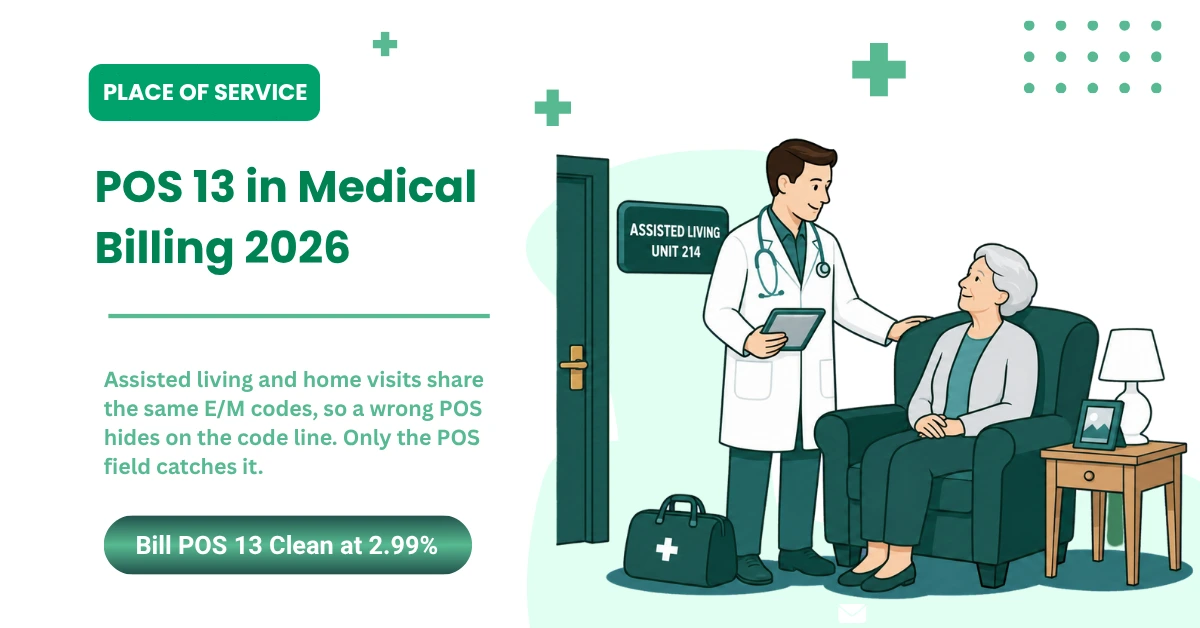
POS 14 is Group Home and POS 33 is Custodial Care Facility, which CMS defines around room, board, and personal assistance with no medical component. Shared living areas, supervision, and personal care don't satisfy the assisted living definition on their own. Both settings use the same E/M family as assisted living, so the error is invisible on the code line and shows up only in the POS field.
Assisted Living vs. POS 31 and POS 32 (SNF and NF)
This is the only comparison where the E/M code changes too. POS 31 identifies a Skilled Nursing Facility and POS 32 covers Nursing Facility, including applicable SNF Part B resident situations. Assisted living encounters use Home or Residence Services. SNF and NF encounters use nursing facility E/M services instead.
CMS's Home or Residence Services billing instructions keep the nursing facility code families tied to POS 31, POS 32, POS 54, and POS 56. Status changes on a mixed-care campus, so confirm the resident's unit and status on every date of service.
Which E/M Codes Apply With POS 13 in 2026?
CPT deleted the old domiciliary and rest home E/M codes, 99324 through 99337, beginning January 1, 2023. Assisted living visits now use the Home or Residence Services family: 99341, 99342, 99344, and 99345 for new patients, and 99347 through 99350 for established patients.
Note the gap. Code 99343 was deleted in the same update, so it isn't part of the active new patient sequence.
The 2023 Home or Residence Services Change
Two E/M families merged into one. Before January 1, 2023, assisted living drew from the domiciliary and rest home codes while private homes used a separate set. CMS consolidated both into Home or Residence Services and named the exact place of service codes that may accompany them.
The CMS Home or Residence Services billing instructions in Transmittal R11732CP carry an effective date of January 1, 2023 and an implementation date of January 3, 2023. The transmittal instructs contractors to allow 99341 through 99350 with five place of service codes: 12 (Home), 13 (Assisted Living Facility), 14 (Group Home), 33 (Custodial Care Facility), and 55 (Residential Substance Abuse Treatment Facility).
The same instruction uses mandatory language: practitioners furnishing E/M services to residents in one of those living arrangements must use a level of service code from that range. It isn't a preference.
New Patient Home or Residence E/M Codes
|
Code |
Patient status |
Selection basis |
|---|---|---|
|
99341 |
New |
MDM or time |
|
99342 |
New |
MDM or time |
|
99344 |
New |
MDM or time |
|
99345 |
New |
MDM or time |
Four codes, not five. Writing “99341 through 99345” without flagging the deletion is how 99343 ends up on a claim and comes back rejected.
Established Patient Home or Residence E/M Codes
|
Code |
Patient status |
Selection basis |
|---|---|---|
|
99347 |
Established |
MDM or time |
|
99348 |
Established |
MDM or time |
|
99349 |
Established |
MDM or time |
|
99350 |
Established |
MDM or time |
Don't reach for the nursing facility codes here. CPT 99304 through 99310 belong to SNF and NF encounters, and mixing them into an assisted living claim creates a mismatch between the setting and the service.
Prolonged Visits: Use G0318, Not 99417
Long assisted living visits are where Medicare and CPT part ways, and most practices miss it. CPT directs you to 99417 for prolonged home or residence services. Medicare doesn't accept that. It requires the Medicare-specific add-on HCPCS G0318 instead.
Five rules govern it. G0318 attaches only to 99345 or 99350, the highest level in each series. The base visit level must have been selected using time, not medical decision making. Each unit is 15 minutes, and anything under 15 minutes isn't reportable. It cannot be billed on the same date as 99358, 99359, or 99417.
The thresholds are the part teams get wrong. Total time has to reach roughly 140 minutes before G0318 attaches to 99345, and roughly 110 minutes before it attaches to 99350. A visit that simply ran long doesn't qualify, and the note has to break down how the time was spent.
2026 G2211 Update
Beginning January 1, 2026, CMS allows the visit complexity add-on code G2211 with the eligible Home or Residence E/M family. Eligible codes are 99341, 99342, 99344, 99345, and 99347 through 99350. The CMS CY 2026 fee schedule summary lists them individually. Before 2026 the code was office and outpatient only, so this is new billable ground for mobile practices.
G2211 isn't a checkbox on every visit. The encounter has to meet the add-on code's own requirements, and the record has to support the longitudinal or complex care relationship the code describes. Commercial plans and Medicare Advantage may handle it differently, so confirm the payer's policy before building it into a template.
E/M Selection Warning
Here's the distinction that matters under audit. The place of service identifies the setting. The E/M code identifies the level and type of service. One never validates the other, and a correct setting code proves nothing about whether the documentation supports the level you billed.
How to Report POS 13 on CMS-1500 and 837P Claims
Report the code in CMS-1500 Item 24B for the applicable service line. On an 837P, it maps to Loop 2300 CLM05-1 at the claim level or Loop 2400 SV105 at the service line. Whichever route the claim takes, the reported setting and the service facility information have to agree with what the clinical note says.
Example Professional Claim
|
Claim element |
Example value |
|---|---|
|
Patient setting |
Assisted Living Facility |
|
Encounter |
In-person established patient E/M visit |
|
E/M code |
Appropriate code from 99347 through 99350 |
|
Item 24B |
13 |
|
Item 32 |
Facility name, address, and ZIP code |
|
Documentation |
Patient location, medical necessity, MDM or time, assessment, plan |
Treat that as an illustration of how the fields line up. It isn't a complete claim, and it doesn't guarantee coverage.
CMS-1500 Item 24B
Item 24B holds the place of service for each service line, entered as a two-digit code. This is where place of service codes for professional claims sit on the paper form. CMS instructs providers to use the code assigned to the setting where the patient received the face-to-face service, per its CMS Item 24B guidance.
Service lines aren't locked to one setting. When the actual locations differ, the codes on those lines differ too, and a claim-level default won't catch it.
837P Electronic Claim Fields
Your billing software maps the selected setting to CLM05-1 or SV105 depending on claim structure. What it can't do is check whether that setting is right.
Clearinghouse acceptance is a formatting pass. A claim can clear every edit, transmit clean, and still carry a POS code that doesn't match the encounter.
Service Facility Location Information
Item 32 and Loop 2310C carry the service facility location, and an assisted living visit generally needs it. CMS's CMS service facility guidance directs fee schedule services furnished in any facility other than the patient's home or a physician's office to report the facility name, address, and ZIP code. An assisted living facility is exactly that, which is why leaving Item 32 blank on these claims is a common and avoidable gap.
Match that address to the note. Using the practice's office address because that's where billing sits is one of the quieter ways a claim contradicts its own documentation. Item 32a carries the service facility NPI when it applies.
Pre-Submission Validation Workflow
- Confirm the patient's physical location.
- Confirm the facility type and patient status.
- Select the current procedure or E/M code.
- Enter the POS code in Item 24B or the electronic equivalent.
- Align the service facility information with the note.
- Run payer-specific CPT, modifier, POS, and documentation edits.
Payer-specific claims submission services can validate the procedure, modifier, documentation, service facility information, and place of service before transmission.
|
Not sure whether your claim setup is carrying the correct service location? MedSole can review POS, modifier, documentation, and payer edit patterns before they turn into repeat denials. |
How Does POS 13 Affect Medicare Reimbursement?
Medicare classifies the assisted living setting as non-facility. For procedures carrying separate facility and non-facility practice expense values, that classification can change the allowed amount.
Final payment still depends on the procedure, the provider, any modifiers, the locality, and current payer policy. So the code shouldn't be described as guaranteeing a higher rate.
Medicare Classifies This Setting as Non-Facility
Under the Medicare Physician Fee Schedule, place of service 13 sits on the non-facility list. When a service has two practice expense values, Medicare reads the reported setting to decide which one applies. The CMS Chapter 12 manual names Assisted Living Facility, code 13, in that list. POS 12 and POS 32 appear there too. Certain services in POS 31 are paid at the facility rate instead.
Why Facility and Non-Facility Rates Differ
Medicare doesn't set one price per code. It builds an amount from three relative value units: physician work, practice expense, and malpractice. Each is adjusted by the Geographic Practice Cost Index for your locality, then multiplied by the applicable conversion factor.
Practice expense is the piece the setting touches. In a facility, the facility absorbs staff, supplies, and overhead. In a non-facility setting, the practice absorbs those costs, so the practice expense value is built differently.
The chain runs in one direction:
- Reported POS code
- Site-of-service classification
- Applicable practice expense RVU
- Locality adjustment
- Allowed amount
The 2026 Change That Widened the Gap
January 1, 2026 raised the cost of getting this wrong. In the CY 2026 fee schedule, CMS cut the portion of facility practice expense RVUs allocated on work RVUs to half the amount allocated in non-facility settings. The CMS CY 2026 final rule summary describes the change as recognizing the relative resources involved in facility and non-facility care. CMS did not phase it in.
Two consequences follow for assisted living claims. The distance between a non-facility code and a facility code is wider in 2026 than it was in 2025, so a claim that lands on the wrong side of that line loses more. And because the Home or Residence E/M codes carry only non-facility practice expense values, a correctly reported assisted living visit sits on the favorable side of the change by default.
Why Non-Facility Does Not Always Mean a Higher Payment
Four qualifications matter:
- Some procedures carry little or no meaningful gap between the two values
- Code, modifier, provider type, and locality all still move the number
- Medicare Advantage and commercial plans may apply their own policies
- A higher allowed amount never validates an incorrect setting
Never pick a place of service to reach a preferred rate. Report the setting where the patient actually received the service. Repeated site-of-service errors don't stop at one line item either; they ripple through revenue cycle management across charge review, claim submission, payment reconciliation, denial handling, and accounts receivable.
POS 12, POS 31, and POS 32 Payment Comparison
|
POS |
Setting |
Medicare PFS classification |
Important qualification |
|---|---|---|---|
|
12 |
Home |
Non-facility |
Private residence, not another facility |
|
13 |
Assisted Living Facility |
Non-facility |
Must match the actual assisted living setting |
|
31 |
Skilled Nursing Facility |
Facility, in the applicable Part A SNF setting |
Patient status and benefit period matter |
|
32 |
Nursing Facility or applicable SNF Part B resident |
Non-facility |
Don't describe all POS 32 claims as facility rate claims |
That last row catches people. POS 32 sounds institutional, so teams assume it pays like POS 31. It doesn't.
How to Verify the Current Allowed Amount
- Select the exact CPT or HCPCS code.
- Select the correct MAC locality.
- Compare the current facility and non-facility values in the CMS PFS lookup tool.
Skip the published dollar figures. Rates shift by locality, year, modifier, and provider type, and 2026 introduced two conversion factors, so a single national example is wrong for most readers before it is written.
What Documentation Supports a POS 13 Claim?
A defensible claim shows four things: where the patient was located, why the service was medically necessary, what the practitioner performed, and how the E/M level was selected. The location named in the note has to agree with the place of service and service facility information reported on the claim.
Location Evidence Is the Part That Fails
General E/M documentation rules apply here unchanged, and CMS sets them out in its CMS E/M documentation guidance. What's specific to this setting is the location evidence, and “seen at facility” won't hold up under review.
Name the building. Strong location documentation records the facility name, the address, and the resident's unit when that's useful. It confirms the visit was in person, notes the patient's status that day, and flags any recent transfer between assisted living, an SNF, an NF, or a hospital.
Facility name and address are solid audit support. They aren't a universal attachment that rides along with every claim, and no payer policy makes them one.
Clinical and Claim Data Must Agree
|
Clinical record |
Claim field that should align |
|---|---|
|
Patient location |
Item 24B or electronic POS element |
|
Facility name and address |
Item 32 or service facility loop |
|
Rendering practitioner |
Rendering NPI |
|
Service performed |
CPT or HCPCS code |
|
Medical necessity |
Diagnosis and note |
|
E/M selection |
Documented MDM or time |
|
Total time, when G0318 is added |
Time breakdown supporting the threshold |
|
In-person or telehealth status |
POS and required modifier |
Reviewers work down the left column and check the right. Any row that disagrees is the one they'll ask about.
Documentation Risk Data
CMS reported a 10.3% improper payment rate for E/M codes in the 2024 reporting period, a projected $3.9 billion. Incorrect coding drove 49.1% of those improper payments. Insufficient documentation accounted for 34.1%, and missing documentation for 13.1%.
Read those percentages together. Nearly half of improper E/M payments trace to coding, not paperwork gaps, which is why POS in medical billing gets scrutinized alongside the level selected.
Which POS Applies to Telehealth for an Assisted Living Resident?
Code 13 describes an in-person service furnished inside an Assisted Living Facility. A professional telehealth claim generally uses POS 02 or POS 10 instead, based on where the patient sat during the visit.
Which of the two applies to an assisted living resident isn't settled. CMS hasn't addressed that scenario by name, so confirm your MAC's position in writing before building a rule around it.
Do Not Automatically Use the In-Person Setting for Telehealth
CMS's CMS 2026 Telehealth FAQ tells practitioners to report place of service code 02 for telehealth provided other than in the patient's home, and POS 10 for telehealth provided in the patient's home. CMS defines that home as a private residence other than a hospital or other facility.
Payment follows the code. CMS pays home telehealth at the non-facility rate, while Chapter 12 lists POS 02 among the facility rate settings. A virtual visit reported as POS 02 pays less than the same in-person visit, and after the 2026 practice expense change that gap is larger than it was.
Modifier 95 flags synchronous audio-video and modifier 93 flags audio-only. Neither converts an in-person setting code into a telehealth claim, so pairing modifier 95 with code 13 is not a workaround.
POS 02 vs. POS 10
|
Encounter |
General Medicare POS direction |
Qualification |
|---|---|---|
|
Practitioner is physically with the patient inside the ALF |
13 |
In-person assisted living encounter |
|
Telehealth patient is in a private residence |
10 |
Must meet the CMS home definition |
|
Telehealth patient is somewhere other than the defined home |
02 |
Includes facility-based originating locations |
How the CMS Definitions Apply to Assisted Living
Two readings exist, and both start from CMS text.
Read it one way, and POS 02 applies: CMS classifies an assisted living facility as its own setting, and limits POS 10 to a private residence other than a hospital or other facility. An ALF is a facility, so the patient isn't in the defined home.
Read it the other way, and POS 10 applies: the resident's unit is where that patient lives, not a place they travel to for care, and some MAC representatives have pointed practices there on exactly that reasoning.
Neither reading comes from CMS naming assisted living in a telehealth instruction, because CMS hasn't. Get your MAC's answer in writing and keep it with your policy documentation. Behavioral health is the one clean exception: the Consolidated Appropriations Act, 2021 permanently removed geographic and place of service restrictions for behavioral telehealth, so that category doesn't turn on this question.
2026 Telehealth Verification Checklist
- Was the encounter in person or virtual?
- Where was the patient physically located?
- Does that location meet the payer's home definition?
- Is the service on the current telehealth list?
- Is a telehealth modifier required?
- Does the payer follow Medicare POS treatment?
- Does the note document modality and patient location?
Broad Medicare telehealth location flexibilities run through December 31, 2027, per the same CMS FAQ. That flexibility governs where a patient may be. It doesn't excuse reporting the wrong telehealth POS.
Common POS 13 Denials and How to Correct Them
A place-of-service denial can't be fixed by swapping the code and resubmitting. Verify what the setting actually was on that date, then confirm the procedure is compatible with it. Change the code first and you've built a second denial on top of the first.
Why Assisted Living Claims Fail Place-of-Service Edits
Ten patterns account for most of these. Recognize yours:
- Resident was in an SNF or NF on the date of service
- Claim carried an office or home default
- E/M code didn't match the setting
- Note and service facility address disagreed
- Resident moved between units on a mixed-care campus
- A legacy domiciliary code was used
- Telehealth claim went out with the in-person setting
Three more sit outside the claim. The payer applies its own POS policy. The provider's enrollment record doesn't support the service location. Or the corrected claim repeats what failed the first time.
CARC 5 and CARC 58
An electronic remittance advice carries three elements: a group code for financial liability, a Claim Adjustment Reason Code for the reason, and a Remittance Advice Remark Code for the detail that usually names the failed field. Read them together, not in isolation, per CMS's CMS remittance advice guidance. Two reason codes point at the setting.
|
Code |
Official meaning |
Billing team action |
|---|---|---|
|
CARC 5 |
Procedure code or bill type is inconsistent with the place of service |
Compare the procedure family, POS, patient status, and payer edit |
|
CARC 58 |
Treatment was considered furnished in an inappropriate or invalid place of service |
Verify the setting, service location, and payer policy |
Those meanings come from the CMS claim adjustment codes list. Two cautions go with them. PR-49 isn't a place-of-service denial, and not every POS problem arrives as CO-5, because the group code and accompanying RARC vary by payer and situation.
Eight-Step Denial Correction Workflow
- Read the ERA, CARC, RARC, and payer message.
- Confirm the date of service.
- Verify the patient's facility and status on that date.
- Compare the clinical note with the claim POS.
- Confirm the E/M or procedure code.
- Review the service facility address and rendering provider.
- Determine whether the payer requires a corrected claim, reopening, or appeal.
- Update the source workflow so the same error doesn't recur.
Step eight is the one practices skip. Denial management services should correct the individual claim, identify the source of the error, and feed that cause back into registration, coding, documentation, or claim edit workflows.
Corrected Claim, Reopening, or Appeal?
Route matters more than speed, and most practices pick the wrong one. CMS says MACs don't process corrections involving minor errors and omissions through the appeals process, so a wrong POS code usually belongs in a reopening, not a redetermination. Filing an appeal for a data error burns weeks and often comes back dismissed.
Save the appeal for a real dispute, where the original data was correct and you're contesting the determination. For Medicare Fee-for-Service, a dissatisfied party generally has 120 days from receipt of the initial determination to request a first-level redetermination, and CMS presumes receipt five calendar days after the notice date. Treat that as the Medicare example, not a universal deadline. Detail sits in the Medicare redetermination guidance.
Keep proof of the original timely submission either way. When a corrected claim stays unpaid after the payer accepts it, accounts receivable follow-up should track its status, response deadline, and final resolution.
Root-Cause Prevention
Track POS 13 in medical billing errors along eight dimensions and the pattern shows itself:
- Error by facility
- Error by provider
- Error by payer
- Error by CPT family
- EHR default responsible
- Staff workflow responsible
- Correction turnaround
- Recurrence after training
|
Repeated place-of-service denials usually point to an upstream workflow problem, not an isolated coding mistake. MedSole RCM can review the pattern, correct affected claims, and identify where the error enters the revenue cycle. |
How to Audit POS 13 Claims Before and After Submission
Audit paid claims, not just denied ones. A claim that cleared adjudication with the wrong setting still carries repayment exposure no denial report will surface. Sample before submission where you can, and across paid, denied, and corrected claims where you can't.
Build a Risk-Based Claim Sample
Random sampling wastes the review. Stratify:
- Facility
- Practitioner
- Payer
- Procedure family
- New versus established patient
- In-person versus telehealth
- Paid, denied, and corrected status
Add a high-dollar variance slice. That's where a single setting error costs the most.
Seven-Point Audit Test
For every sampled claim, compare:
- Patient location in the note
- Facility type on the date of service
- Patient's care status
- Procedure or E/M family
- Claim POS
- Service facility information
- Payer adjudication and allowed amount
Any two that disagree is a finding. Log it before the next claim.
High-Risk Assisted Living Scenarios
Mixed-care campus. One campus holds assisted living, memory care, and skilled nursing units under a single brand name. Code the resident's actual unit, never the campus.
Mid-month transfer. One visit happens in assisted living, the next after a move to an SNF. Each date of service gets its own location determination, and the E/M family changes with it.
EHR default. The system stamps POS 11 or POS 12 on every mobile visit. Build location-specific rules into the system instead of relying on a biller to catch each one.
Telehealth conversion. An appointment booked as in-person happens virtually. The claim follows the actual modality, not the booking.
Multiple service lines. Services occurred in different locations or under different billing conditions. Review each line rather than applying one claim-wide assumption.
POS Audit Metrics
|
Metric |
What it reveals |
|---|---|
|
POS error rate |
Percentage of reviewed claims with a location error |
|
First-pass acceptance |
Whether errors are caught before payer adjudication |
|
CARC and RARC frequency |
Which payer edits recur |
|
Correction turnaround |
Time required to repair the claim |
|
Repeated error rate |
Whether training and edits are working |
|
Payment variance |
Potential underpayment or overpayment |
|
Facility concentration |
Locations producing the most errors |
Watch facility concentration. One building generating most of your errors is a data problem you can fix in an afternoon.
POS 13 Frequently Asked Questions
What is 13 POS in medical billing?
The reversed phrasing refers to the same code, the professional claim entry for an Assisted Living Facility. It applies when the actual in-person service location meets the CMS assisted living definition on the date of service.
Is POS 13 a facility or non-facility setting?
CMS defines the location as an Assisted Living Facility but classifies it as non-facility for Medicare Physician Fee Schedule payment. Those are separate concepts. The setting name describes the building; the classification decides which practice expense value applies.
Does an assisted living facility need CMS certification?
No universal “CMS-certified ALF” test exists in the national POS definition, and CMS publishes no approved-facility list. Verify the actual setting, state licensure where it applies, and the payer's requirements before selecting the code.
Can therapy, laboratory, or vaccine services use POS 13?
The code identifies the location, but it doesn't establish coverage or separate payment on its own. Verify the service-specific billing, provider, documentation, and authorization rules for that therapy, laboratory, or vaccine.
Should an assisted living claim ever use POS 31 or POS 32 instead?
Yes, whenever the resident was actually in a skilled nursing or nursing facility unit on that date. POS 31 covers the applicable SNF setting and POS 32 covers Nursing Facility and SNF Part B residents. The E/M family changes too.
Can you bill prolonged services with an assisted living visit?
Medicare uses HCPCS G0318, not CPT 99417. It attaches only to 99345 or 99350, the base level must have been chosen by time, each unit is 15 minutes, and it cannot be reported with 99358, 99359, or 99417.
Can G2211 be billed with POS 13 in 2026?
Beginning January 1, 2026, CMS permits G2211 with eligible Home or Residence E/M codes when the add-on requirements are met. It isn't automatic for every visit, and the record has to support the longitudinal care relationship.
Which code is used for telehealth in assisted living?
Medicare telehealth generally uses POS 02 or POS 10 based on where the patient was located. Don't default to the in-person assisted living code. Because CMS defines the home as a private residence outside another facility, verify your MAC interpretation.
How MedSole RCM Helps Practices Manage Assisted Living Claims
We are MedSole RCM, a full-service revenue cycle management company supporting healthcare providers across coding review, claim submission, payment posting, denial management, accounts receivable follow-up, and payer enrollment.
For assisted living claims specifically, that means verifying the resident's unit and status against the date of service before the charge is coded, checking that the E/M family and any add-on match the setting, and scrubbing the POS and service facility fields together rather than separately.
We don't determine clinical medical necessity, and no billing company can guarantee what a payer will pay. We make sure the claim reflects what happened.
Transparent MedSole RCM Pricing
|
MedSole service |
Pricing |
|---|---|
|
Full-service medical billing and RCM |
Starting at 2.99% of monthly collections |
|
Provider credentialing |
Starting at $99 per insurance credential |
Read those figures as commercial pricing, not as anything Medicare publishes. The 2.99% rate is MedSole RCM's service fee. Credentialing is priced separately and applies per insurance enrollment through our provider credentialing services.
Where a Place-of-Service Review Starts
A recurring place-of-service problem shows up in clean claim performance, payment accuracy, denials, and A/R at once. That's what makes it hard to spot from any single report. We can review the workflow from patient location through final payer response and show where the breakdown begins.