



POS 20 is the CMS Place of Service code for an Urgent Care Facility. The code reports where care happened, not what was treated. CMS defines the setting as distinct from a hospital emergency room, an office, or a clinic, serving unscheduled, ambulatory patients who need immediate medical attention. Coding it correctly doesn’t guarantee payment.
The CMS Place of Service Code Set has carried that definition since January 1, 2003, and CMS tells providers to check individual payer reimbursement policies. POS in medical billing answers a single question: where did the encounter happen? Place of service 20 gives the answer.
Key facts for urgent care providers:
- Location drives the code. Diagnosis and severity don’t decide it.
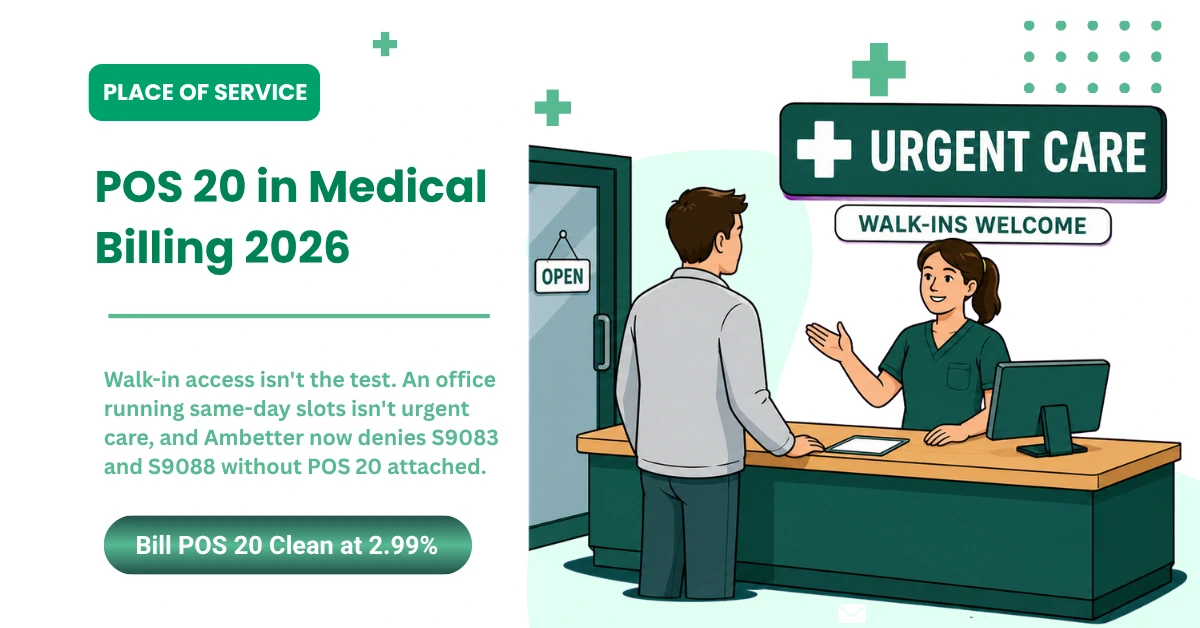
- Walk-in access isn’t the test. Unscheduled, nonemergency visits don’t automatically become urgent care claims.
- 5 codes look similar. POS 11 Office, POS 17 Walk-in Retail Health Clinic, POS 19 Off Campus-Outpatient Hospital, POS 22 On Campus-Outpatient Hospital, and POS 23 Emergency Room – Hospital.
- “Freestanding” isn’t CMS wording. Billing content repeats it, but CMS doesn’t use it.
- 3 records must match. Actual service location, payer enrollment, and claim data.
Choosing the urgent care place of service code starts with the setting, not the symptom. CMS publishes place of service codes for every setting a professional claim reports. Several of them overlap.
At MedSole RCM, we see POS errors become larger billing problems when the service location, payer enrollment, and claim fields don’t match.
When Should an Urgent Care Center Use POS 20?
Use POS 20 when care happened at an urgent care facility, the patient was ambulatory, the visit was unscheduled, and the need was immediate but nonemergency. All 4 have to be true. The actual setting controls the code, not the complaint.
The Five-Part POS 20 Qualification Test
Run these 5 checks in order:
- Confirm the service happened at the urgent care location on the claim.
- Verify the patient was ambulatory and didn’t need hospitalization.
- Identify the encounter as unscheduled or walk-in.
- Check that the patient needed immediate, nonemergency care.
- Match the payer’s enrollment and contract for that location to urgent care services.
Items 1 through 4 come from the CMS setting definition for place of service 20. Item 5 doesn’t. Payer configuration must also match, since payers keep a separate record of what each location can bill.
Two levels, one code. The urgent care place of service only holds when both agree. Urgent care billing carries claim, procedure, and payer requirements an office doesn’t, so the location record matters as much as the code.
What Does Not Determine the POS Code
Don’t pick the POS code from any of these alone:
- Diagnosis alone
- Severity of a single symptom
- CPT code alone
- Provider specialty alone
- Arrival without an appointment
- The reimbursement rate the practice would prefer
Here’s the thing. A primary care office can see a walk-in patient with an ankle sprain. Reporting the place of service for urgent care would still be wrong. The office stays an office unless the actual location and payer setup support a different service setting.
Walk-In Care Does Not Automatically Mean POS 20
Choosing the POS for urgent care starts with what the location actually is. Four arrangements get confused constantly:
- A regular office holding open same-day slots
- An after-hours clinic running under an office setup
- A separately operated urgent care location
- A retail clinic inside a pharmacy or store
Only 1 of those 4 is an urgent care facility. The sign doesn’t decide it. What matters is how the site operates and how the payer has that location enrolled on the date of service.
Once the setting qualifies, the next step is picking the correct POS among locations that look similar on paper.
POS 20 vs POS 11, 17, 19, 22, and 23
Five codes describe settings that overlap in daily practice, and picking the wrong one is the most common POS 20 error we see. The table below answers each choice in one line. Use it as a lookup, not a definition.
|
POS |
Setting |
Use when |
Do not use when |
|---|---|---|---|
|
11 |
Office |
Routine ambulatory care happens in an office |
The actual location is an urgent care facility |
|
17 |
Walk-in Retail Health Clinic |
The clinic sits inside a retail operation and provides ambulatory primary or preventive care |
The service occurred at an urgent care center |
|
19 |
Off Campus-Outpatient Hospital |
The site is an off-campus hospital provider-based department |
The site is an independent urgent care center |
|
20 |
Urgent Care Facility |
Unscheduled ambulatory patients need immediate, nonemergency attention |
The patient was treated in an office, hospital department, or ER |
|
22 |
On Campus-Outpatient Hospital |
The site is part of the hospital’s main campus |
The site is a separately operated urgent care facility |
|
23 |
Emergency Room – Hospital |
Emergency diagnosis and treatment happened in a hospital ER |
The patient received nonemergency urgent care |
Those setting names come straight from the CMS Place of Service Code Set. Picking the urgent care place of service code means matching your site to one row, not choosing the row you’d prefer to bill. Medical billing POS codes aren’t interchangeable, because each one describes a different physical setting.
POS 20 vs POS 11: Urgent Care or Office
POS 11 is an office. POS 20 is an urgent care facility. What separates them is the location itself, not whether the schedule was open.
Take a family medicine practice that leaves 2 same-day slots open for sick patients. A patient arrives with a fever and gets treated right away. That encounter may still belong to POS 11, because the actual location is the physician’s office. Accepting walk-ins doesn’t convert an office into an urgent care site, and the urgent care POS won’t apply just because the visit felt urgent.
POS 20 vs POS 17: Urgent Care or Retail Clinic
POS 17 is a Walk-in Retail Health Clinic. CMS describes it as a walk-in clinic located inside a retail operation that provides ambulatory primary and preventive care. POS 20 is an urgent care facility.
Both take walk-ins. That’s the whole reason they get confused, and it’s also why walk-in access can’t be the deciding factor. Operational identity decides it. A clinic operating inside a pharmacy or store isn’t the same site of service as a separately run urgent care center.
POS 20 vs POS 19 and 22: Independent or Hospital Outpatient
POS 19 identifies an off-campus hospital provider-based department. POS 22 identifies an on-campus outpatient hospital department. POS 20 identifies an urgent care facility distinct from both.
Ownership isn’t the test here. A hospital-owned urgent care site doesn’t automatically report POS 19 or 22, and an independent site doesn’t automatically report POS 20. What controls the answer is whether the location operates as a provider-based department of the hospital and how the payer instructs you to bill it. Verify the provider-based status before the claim goes out.
POS 20 vs POS 23: Urgent Care or Emergency Room
POS 23 is an Emergency Room – Hospital. Urgent care treats immediate conditions that don’t require emergency care, so the two settings describe different levels of service in different places.
Don’t read the diagnosis and work backward to the code. A chest pain complaint doesn’t create POS 23, and a sore throat doesn’t create POS 20. Where the patient received care stays central to the answer, every time.
Getting the place of service code for urgent care right starts with identifying the site, then confirming the payer recognizes that site. Once the code is settled, the next question is where it goes on the claim.
Where to Report POS 20 on CMS-1500 and 837P Claims
POS 20 in medical billing goes in Item 24B on a CMS-1500, and at Loop 2300 CLM05-1 or Loop 2400 SV105 on an 837P. The field is easy. Keeping the correct location in that field, batch after batch, is where practices lose money.
|
Claim format |
Field |
What to enter |
|---|---|---|
|
CMS-1500 |
Item 24B |
Appropriate two-digit POS |
|
837P claim level |
Loop 2300 CLM05-1 |
Place of Service |
|
837P service line |
Loop 2400 SV105 |
Service-line POS when applicable |
CMS-1500 Item 24B
Item 24B holds the place of service, reported at the service-line level. Some billers still call these HCFA 1500 POS codes, from the form’s older name. CMS-1500 is the current name, and the field position hasn’t moved.
Whatever sits in that field has to describe where the patient actually received the service. A PM or EHR default can’t override that. Say a provider works an office 3 days a week and an urgent care site on weekends. The system can’t stamp POS 11 on every encounter just because the office is the default profile on that provider’s record.
837P Claim-Level and Service-Line Fields
Report the POS at Loop 2300 CLM05-1 or Loop 2400 SV105, depending on the claim structure, per CMS-1500 and 837P claim guidance. Claim-level and service-line placement aren’t interchangeable, so professional claims POS reporting follows whichever level the claim actually uses.
The location has to survive the whole trip. It starts in the EHR, moves through the practice management system, passes the clearinghouse, and lands at the payer. Every handoff is a place where a default can quietly replace it. Check the submitted claim file, not the encounter screen.
Claim Details That Must Match the POS
Run these 9 fields before the batch goes out:
|
Field |
What to confirm |
|---|---|
|
Date of service |
Matches the encounter and the location worked that day |
|
Rendering provider |
The NPI of the person who actually saw the patient |
|
Billing provider |
The group or entity the payer expects on that claim |
|
Service location |
The site where care happened, not the default profile |
|
Service facility address |
Populated when the payer requires it |
|
CPT or HCPCS code |
Supported by documentation and allowed in that setting |
|
Modifiers |
Consistent with the code and the setting |
|
Payer enrollment record |
Shows the provider active at that location |
|
Payer-specific edits |
Cleared for that payer, not a generic rule set |
Payers don’t handle these fields identically, so a claim that passes one plan’s edits can still fail another’s. Payer-specific claim scrubbing catches those differences before submission instead of after a denial.
Common setup problem: the practice creates one default POS at the provider level instead of configuring the POS by location.
That single setup choice is why the same error shows up on dozens of claims. Nobody typed it wrong. The mapping produced it automatically, and it keeps producing it on every new encounter until someone fixes the location configuration.
If the wrong location keeps reaching the payer, fixing one claim won’t solve the problem. The POS mapping has to be corrected before the next batch leaves the system.
How POS 20 Works With CPT, HCPCS, ICD-10-CM, and Documentation
Billers ask what the CPT code for urgent care is, expecting one answer. There isn’t one. A single urgent care claim carries three separate code sets, and each answers a different question the payer is asking.
|
Claim element |
What it communicates |
|---|---|
|
POS |
Where care occurred |
|
CPT or HCPCS |
What service was performed |
|
ICD-10-CM |
Why the service was medically necessary |
POS Explains Where the Service Occurred
POS 20 does not replace a CPT, HCPCS, or ICD-10-CM code.
Where, what, and why are three different questions, and no code set answers more than one of them. That’s why no single billing code for urgent care visit reporting exists. The location code can’t describe a laceration repair, and a procedure code can’t tell the payer which building the patient walked into.
CPT and HCPCS Explain What Was Performed
Urgent care codes fall into a handful of familiar categories:
- Office and other outpatient E/M services
- Diagnostic tests
- Imaging
- Laboratory services
- Laceration repair
- Splinting and injections
- Other minor procedures
Performing one of these doesn’t qualify the location for POS 20. An office repairs lacerations too. What the site does clinically and what the site is on the claim are separate facts, and payers check them separately.
ICD-10-CM Explains Why the Service Was Needed
Diagnosis codes carry the condition, symptom, injury, or reason for the encounter. They establish medical necessity, and nothing else on the claim does that job.
Picture an ankle X-ray for a sprain. That same service can happen in an office, an urgent care center, a hospital outpatient department, or an emergency room. The diagnosis stays the same. The procedure stays the same. What changes is the POS, because the physical setting changed.
Selecting an Office or Outpatient E/M Level
Office and other outpatient E/M levels are selected by medical decision making or total time on the date of the encounter. Documented history and exam no longer set the level on their own, per AMA office and outpatient E/M guidance.
New patients fall in the 99202 to 99205 range. Established patients fall in 99212 to 99215. The place of service doesn’t move a visit up or down that range, and neither does how busy the waiting room felt.
Document these 9 elements to support the level you bill:
|
Element |
Why it matters |
|---|---|
|
Presenting problem |
Frames the reason for the encounter |
|
Relevant history and examination |
Supports clinical context, though it no longer sets the level |
|
Tests ordered and reviewed |
Feeds the data component of MDM |
|
Procedures performed |
Supports separately reported services |
|
Medical decision making |
Drives the level when time isn’t used |
|
Total time |
Drives the level when time controls selection |
|
Treatment plan |
Shows what was decided and ordered |
|
Disposition or transfer |
Records where the patient went next |
|
Actual service location |
Ties the encounter to the reported POS |
POS, CPT, HCPCS, ICD-10-CM, modifiers, and payer edits all have to agree before the claim goes out. Outsourced medical billing services exist largely because that agreement breaks in small, repeatable ways.
When the codes look correct individually but still fail together, the claim needs a full coding and payer-edit review rather than another blind resubmission.
How POS 20 Affects Medicare and Commercial Reimbursement
Is POS 20 facility or non-facility? For Medicare Physician Fee Schedule purposes, POS 20 is non-facility. Commercial plans set their own rules and may price the same claim under a different arrangement entirely. No place of service code guarantees a payment amount on its own. Check the contract for each payer before assuming a rate.
Medicare Treats POS 20 as Non-Facility
Medicare classifies POS 20 as a non-facility setting for Physician Fee Schedule payment. Plenty of billing articles and AI-generated summaries get this backward, so it’s worth stating plainly.
Non-facility doesn’t mean one fixed amount. What Medicare actually pays still depends on the procedure code, the locality, the provider’s participating status, any applicable modifiers, and the payment rules in effect for that date of service. You can see the classification in the Medicare POS payment table, and CMS Physician Fee Schedule guidance explains how the setting drives which rate applies.
Commercial Payer Payment Depends on the Contract
Commercial insurance works differently, and the variation is wider than most practices expect. A commercial payer may recognize POS 20 but still price the claim according to its own contract and reimbursement policy.
Arrangements you’ll run into include:
- Standard professional fee schedules
- Urgent care fee schedules
- Case rates
- Contracted add-on arrangements
- Different patient benefit tiers
- Different S-code rules
Medicaid managed care adds another layer, since plan rules vary by state and by contract. Never assume a rule you confirmed with one plan carries to another.
POS 20 Does Not Guarantee Higher Payment
Using POS 20 doesn’t maximize reimbursement. Correct coding protects claim accuracy, and that’s a different outcome than a premium rate.
Here’s the part that matters for compliance. A better rate is never a reason to change the place of service. Reporting a setting the site doesn’t match creates recoupment exposure, and post-payment review is where that surfaces. The code has to describe the location. What the location earns is a contract question.
Check the Allowed Amount After Posting
Accepted, paid, and paid correctly are three different states. A claim can clear every edit, post a payment, and still be short of contract.
Compare these 6 figures on the remittance before you close the claim:
- Billed amount
- Allowed amount
- Contracted rate
- Paid amount
- Adjustment codes
- Patient responsibility
Correct POS reporting and correct payment verification are separate controls. One happens before submission, the other after posting, and passing the first doesn’t mean you cleared the second. Revenue cycle management services tie the two together so a variance gets caught in the same cycle it appears.
If your POS 20 claims are paying but the allowed amounts don’t match the contract, the next step is a payment and workflow review, not another claim submission.
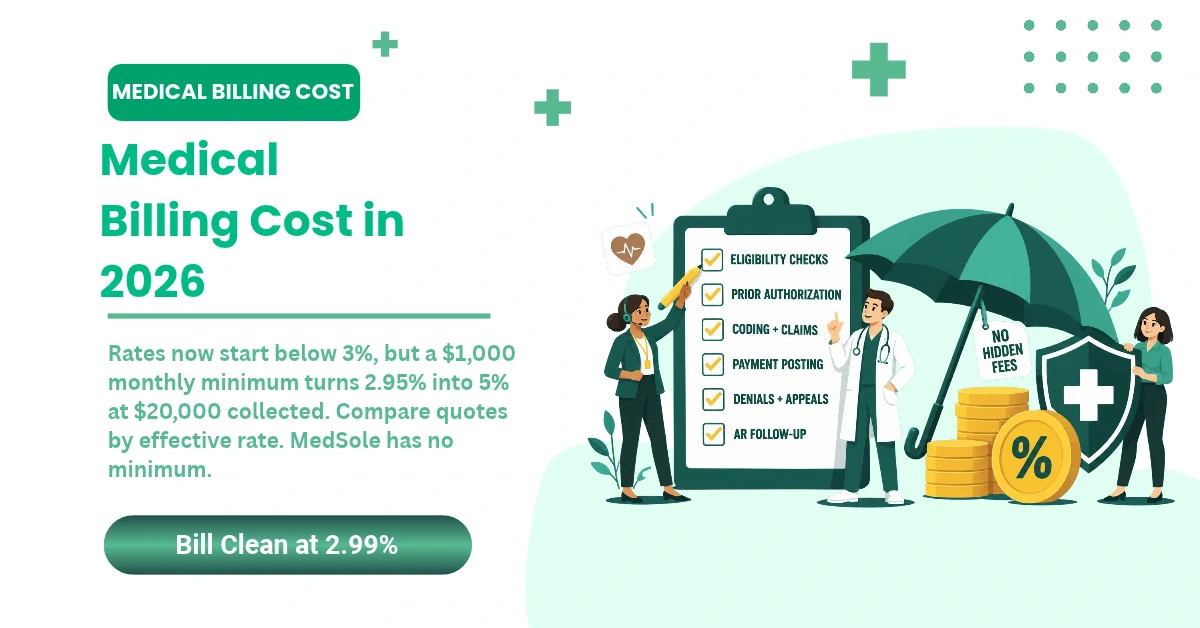
MedSole charges 2.99% of collections for full-service medical billing, including claim submission, payment posting, denial management, and A/R follow-up.
What Changed for POS 20 Billing in 2026?
What changed for POS 20 in 2026? CMS still lists POS 20 as the Place of Service code for an Urgent Care Facility. What moved is payer policy. Several Ambetter markets made S9083 and S9088 reimbursable only when billed with POS 20, effective August 1, 2026 in Pennsylvania and Mississippi and August 15, 2026 in Texas. These are market-specific policies, not a national rule.
CMS Still Uses POS 20 for Urgent Care Facilities
Nothing changed on the CMS side. The current Place of Service Code Set still lists POS 20 for an Urgent Care Facility, and no replacement urgent care code appears in the published set as of our review date. CMS continues to direct providers to check individual payer reimbursement policies.
Policy review date: August 4, 2026.
That date matters more than it looks. Payer policies in this space move quarterly, and a page without a review date gives you no way to judge whether it’s still current.
Ambetter Updated S9083 and S9088 Reimbursement
Both codes are HCPCS Level II, not place of service codes. Their official descriptors read:
- S9083: Global fee urgent care centers
- S9088: Services provided in an urgent care center, listed in addition to the code for the service
Ambetter’s notices describe S9083 as a facility-level global urgent care service and S9088 as an add-on reported with an E/M or procedure code. Both notices also specify in-person care.
The Effective Date Depends on the State Plan
|
Payer market |
Effective date |
S9083 |
S9088 |
Required setting |
|---|---|---|---|---|
|
Ambetter Pennsylvania |
August 1, 2026 |
Reimbursable under policy |
Reimbursable under policy |
POS 20 |
|
Ambetter Mississippi |
August 1, 2026 |
Reimbursable under policy |
Reimbursable under policy |
POS 20 |
|
Ambetter Texas |
August 15, 2026 |
Reimbursable under policy |
Reimbursable under policy |
POS 20 |
Ambetter Pennsylvania S-code update and Ambetter Mississippi S-code update both state that claims submitted with another place of service will be denied. Ambetter Texas S-code update carries the same requirement on a later date. Ambetter published the same bulletin in additional markets, including Florida, Iowa, and New Jersey, each with its own effective date, so check the notice for the market you bill.
These notices apply to the named Ambetter markets. They don’t establish a universal rule for Medicare, Medicaid, every Ambetter market, or every commercial payer.
How to Apply a New Payer Policy Safely
Work through these 5 steps before touching a claim edit:
- Confirm the patient’s exact health plan, not just the parent brand.
- Check the policy’s effective date.
- Verify whether the rule applies by date of service or submission date.
- Review the provider’s contract and fee schedule for that market.
- Test the edit on a small batch before applying it across all payers.
Step 5 is where practices get hurt. Building a global edit off one bulletin means every other payer gets a rule that was never theirs, and the urgent care POS starts appearing on claims it doesn’t belong to. UnitedHealthcare, for one, maintains a separate UnitedHealthcare urgent care policy with its own position on these codes.
Payer policy is only one part of the claim. The provider and urgent care location must also be enrolled correctly before the claim can process as expected.
Why Credentialing and Location Enrollment Matter for POS 20
Can a correct POS 20 claim deny because of credentialing? Yes. A provider can be enrolled at one location and missing at the urgent care site. The NPI, TIN, group, service address, network status, and contract effective date all have to align in the payer’s record. Fixing that usually takes an enrollment update, not a coding change.
The Urgent Care Location Must Match the Payer Record
Three separate decisions sit behind every paid urgent care claim:
- The physical setting qualifies for POS 20.
- The provider is credentialed with the payer.
- The urgent care location is active in the payer’s billing system.
Clearing one doesn’t clear the others. A provider can be in network at a family medicine office and never loaded under the urgent care address, so the urgent care place of service reports correctly while the claim still denies. The payer doesn’t recognize that provider-location combination.
That gap is what urgent care credentialing is meant to close before claims start moving.
Provider, Group, NPI, TIN, and Address Alignment
Eight data points have to agree across your system and the payer’s:
|
Field |
What the payer is checking |
|---|---|
|
Rendering provider NPI |
The individual who performed the service |
|
Billing provider or group NPI |
The entity authorized to bill |
|
TIN |
The tax identity tied to the contract |
|
Practice location |
The site on file for that provider |
|
Service facility address |
Where care was delivered |
|
Payer-assigned provider record |
The internal ID linking provider to plan |
|
Contract effective date |
Whether coverage was active on the date of service |
|
Network status |
In network, out of network, or pending |
Payers don’t configure these fields identically. A record that satisfies one plan’s enrollment logic can fail another’s on the same provider, and the denial reason won’t always say so.
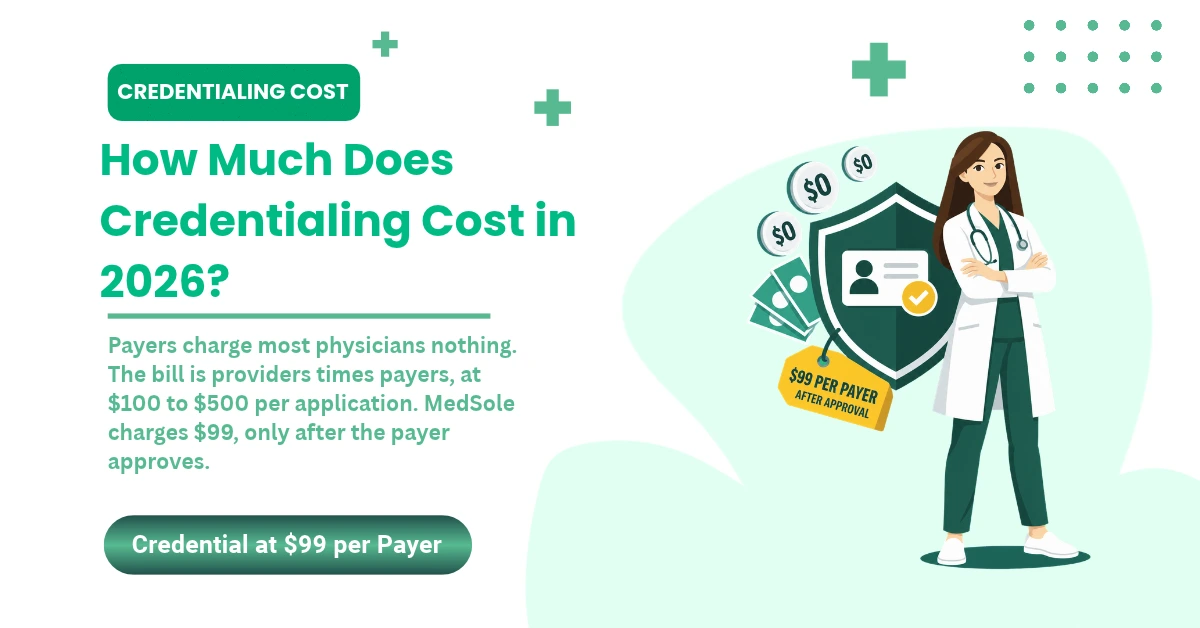
Add up the payer records a multi-site urgent care group maintains and the number climbs fast. MedSole’s credentialing service starts at $99 per insurance and includes application preparation, payer follow-up, and enrollment support through approval.
Taxonomy Does Not Replace the Place of Service
Taxonomy describes the provider’s classification or specialty. POS describes where the service occurred.
Different fields answer different questions.
A taxonomy code for urgent care doesn’t turn every encounter into POS 20, and a correct POS won’t repair a wrong taxonomy, a wrong NPI, or an inactive enrollment record. Payers validate these independently, which is why one clean field can’t rescue another that’s broken.
Updating Medicare Practice Locations Through PECOS
Medicare requires providers to report a change, addition, or deletion of a practice location within 30 days. PECOS is where you review and update that enrollment information, and CMS Medicare enrollment guidance covers the process. Opening a second urgent care site starts that clock the same way a move does.
That 30-day window is a Medicare rule. Commercial plans run their own notice and enrollment processes on their own timelines, so adding an urgent care site means separate updates in separate systems.
If the code is correct but the payer doesn’t recognize the location, resubmitting the same claim won’t fix it. The enrollment record has to be corrected first.
Why POS 20 Claims Get Denied and How to Correct Them
How do you fix a POS 20 denial? Read the ERA, CARC, and RARC before anything else. Verify the actual service location, then check that the provider and that location are both enrolled with the payer. Confirm the payer’s POS and S-code rules for the date of service. Correct the claim if the submitted data was wrong. Appeal if the original claim was right.
Start With the ERA, CARC, and RARC
Every denial arrives with an explanation attached. Four elements on the remit tell you what actually happened:
- ERA: Electronic Remittance Advice, the electronic version of the payer’s payment explanation
- CARC: Claim Adjustment Reason Code, the reason the payer adjusted or denied the line
- RARC: Remittance Advice Remark Code, the supporting detail behind the CARC
- Group code: the category identifying who carries financial responsibility
Don’t change the POS because the claim denied. Read the payer’s reason first, since a place-of-service denial can point at the code, the location record, the procedure, or the contract, and those need different fixes.
Common POS 20 Denial Patterns
These POS 20 denial patterns cover most of what lands in an urgent care work queue:
|
Denial pattern |
What to verify |
Likely resolution path |
|---|---|---|
|
Procedure conflicts with POS |
CPT or HCPCS, modifier, payer edit |
Correct the code combination if documentation supports it |
|
Invalid or inappropriate setting |
Actual location and payer POS policy |
Correct the POS or appeal with location support |
|
Provider-location mismatch |
NPI, TIN, group, address, effective date |
Update enrollment or correct claim data |
|
Wrong service facility address |
Claim field and payer location record |
Correct the address or the claim mapping |
|
S9083 or S9088 policy mismatch |
Payer, state, date of service |
Apply the applicable payer rule |
|
PM system defaulted to POS 11 |
Location-level system setup |
Correct affected claims and configuration |
|
Hospital status mismatch |
Provider-based status and enrollment |
Verify whether POS 19, 20, or 22 applies |
|
Payment tier mismatch |
Contract and patient benefit |
Review adjudication before rebilling |
Two adjustment reason codes show up often here. Code 5 covers a procedure or bill type inconsistent with the place of service. Code 58 covers treatment the payer considered inappropriate or invalid for the reported place of service. Plenty of place-of-service denials use neither, so the remit controls, not the pattern.
On Medicare claims, a missing or invalid POS in Item 24B gets returned as unprocessable under Group Code CO with CARC 16 and RARC M77. CMS remittance advice guidance and the CMS claim adjustment reason codes list explain how those elements report on the remit.
Corrected Claim, Reopening, or Appeal
Four different actions get called resubmitting, and they aren’t interchangeable. A corrected claim replaces data that was wrong. A clerical reopening fixes a minor error outside the appeal process. A resubmission sends the same claim again and fixes nothing on its own. An appeal challenges the payer’s decision.
|
Use a corrected claim or clerical reopening when |
Use an appeal when |
|---|---|
|
The submitted data was wrong |
The original claim data was correct |
|
Documentation supports the corrected data |
The payer applied the wrong policy |
|
The payer allows that correction method |
The denial disputes coverage, medical necessity, provider status, or reimbursement |
|
No coverage or medical-necessity decision needs challenging |
Supporting documentation or contract language is required |
A Medicare contractor states that minor errors and omissions may be corrected outside the appeal process through a clerical reopening, per Medicare clerical reopening guidance. Commercial payer procedures differ, so confirm the method each plan accepts. POS denial resolution starts with picking the right one.
Fix the Workflow That Created the Error
Work the denial in this order:
- Read the remit.
- Confirm the actual location.
- Verify enrollment and payer policy.
- Choose correction, reopening, or appeal.
- Update the system edit or location profile.
- Audit later claims for the same error.
Step 2 carries more weight than it looks. Checking the POS for urgent care against the encounter and scheduling record, not the claim, is what tells you whether the code was wrong or the payer’s record was.
Step 5 is where the denial stops repeating. When a PM system stamps one default POS code at the provider level, every new encounter inherits it until someone changes the location mapping. An enrollment update fixes a payer record. A system edit fixes the claims still to come.
If the same denial keeps returning, the claim isn’t the only problem. The location setup, claim edit, or enrollment workflow needs to change too.
POS 20 Audit Checklist for Urgent Care Practices
A monthly claim sample and a periodic system-configuration review can identify repeated location errors before they spread across larger claim batches. Prevention costs less than correction, and it takes less staff time.
Review a Sample of Claims
Pull a balanced sample instead of a fixed number. Practice volume and payer mix differ too much for one size to fit every group. Cover:
- Medicare and commercial claims
- New and established patients
- E/M-only and E/M plus procedure encounters
- Claims with S9083 or S9088 where those apply
- Every active urgent care location
|
Audit control |
What to inspect |
Failure signal |
|---|---|---|
|
Actual location |
Encounter and scheduling record |
Claim uses another site’s POS |
|
Item 24B or 837P field |
Submitted claim file |
POS missing or overwritten |
|
Provider enrollment |
NPI, TIN, group, address |
Payer does not recognize the location |
|
CPT and modifier combination |
Documentation and payer edit |
Code conflict or bundling denial |
|
S-code policy |
Payer, market, effective date |
Wrong payer rule applied |
|
Allowed amount |
ERA, fee schedule, contract |
Claim paid below the expected rate |
|
Patient responsibility |
ERA and benefits |
Wrong urgent care copay tier |
|
System configuration |
EHR, PM, clearinghouse |
Same error repeats by location |
Test the Location Setup
Four checks worth building into the calendar:
- Run one test claim per active location after configuration changes
- Validate mapping after payer contract changes
- Review setup after adding a provider or a new address
- Recheck edits after annual code and payer updates
These are MedSole operational recommendations, not CMS requirements. System configuration is where place of service codes quietly go wrong, because the error repeats by location rather than by claim.
Compare Payment With the Contract
An accepted claim isn’t automatically a correctly paid claim. Compare 6 figures on every sampled claim:
- Allowed amount
- Contracted amount
- Adjustment reason
- Patient responsibility
- Paid amount
- Expected S-code reimbursement where it applies
ERAs show how charges were adjusted against contracts, benefits, copays, coinsurance, and other adjudication factors. That’s why the remit is the right document for this check, not the deposit total.
When paid claims don’t match the expected rate, the audit should move from coding into payment reconciliation services.
POS 20 Questions Urgent Care Providers Still Ask
Can a Place of Service 20 Claim Be Used for Telehealth?
For Medicare telehealth, no. The code reflects where the patient is, not where the provider sits. POS 10 identifies telehealth in the patient’s home. POS 02 identifies telehealth when the patient is somewhere else. Under Medicare, POS 10 pays the non-facility rate and POS 02 pays the facility rate. Place of service 20 doesn’t apply just because the distant-site provider works for an urgent care center. Commercial payers set their own telehealth rules, so verify each plan before billing.
Can CPT 99214 Be Billed at an Urgent Care Facility?
Yes, when documentation supports it. 99214 is an established-patient office or other outpatient E/M code, and it’s selected by medical decision making or total time on the date of the encounter. The setting doesn’t set the level. An urgent care visit doesn’t earn a 99214 because it felt busy or the patient walked in without an appointment. Documentation has to carry the level on its own. Check the payer’s rules for that service in that setting before billing it.
Does the Urgent Care POS Determine the Patient’s Copay?
No. Benefit design does. POS in medical billing can influence how a payer assigns the claim to a benefit category, but the plan’s benefit structure sets the copay, coinsurance, or deductible. Urgent care copays vary widely between plans, so verify benefits instead of assuming one tier applies everywhere. ERAs show how charges were adjusted for contracts, benefits, and cost sharing. If the remit assigns unexpected patient responsibility, compare it against the eligibility response and the contract.
Can a Hospital-Owned Urgent Care Center Use POS 20?
It depends on provider-based status, not ownership. POS 19 identifies an off-campus outpatient hospital department. POS 22 identifies an on-campus outpatient hospital department. POS 20 identifies an urgent care facility. When a physician treats a registered hospital outpatient, Medicare expects POS 19 or 22 at minimum, regardless of where the face-to-face visit happened. An independent site doesn’t automatically report POS 20 either. Verify how the location is enrolled and operated, then follow the payer’s instructions.
Does an Urgent Care Taxonomy Replace the POS Code?
No. Taxonomy identifies the provider’s classification or specialty. POS identifies the setting where care occurred. Neither field describes what the other one is reporting. Payers can validate both independently, and one being right doesn’t cover for the other being wrong. A correct taxonomy won’t repair a wrong POS, and a correct POS won’t repair an inactive provider-location enrollment. Check both when a claim denies without an obvious coding problem.
Are Place of Service Codes Used on Institutional Claims?
No. CMS designed the POS code set for professional claims, reported on the CMS-1500 and the 837P. Institutional claims use a different structure built around bill types, revenue codes, and other location data. The two claim types answer different questions. A hospital-affiliated urgent care arrangement can produce both a professional claim and an institutional claim for the same encounter. Don’t copy the place of service urgent care code from a professional claim into an institutional field without written payer instructions.
What Does “20 Place of Service” Mean on a Payer Edit?
It refers to the urgent care facility code. When 20 place of service appears in an edit, the payer is usually checking whether the procedure, provider, location, and contract all support urgent care billing. Read the full edit text along with the CARC, RARC, or portal explanation before touching anything. Don’t change the code automatically. Confirm the actual setting and the payer’s policy first, then decide whether the claim needs a correction or an appeal.
What Urgent Care Providers Should Do Next
Match the Setting, Claim, and Payer Record
Getting POS 20 in medical billing right comes down to 7 checks, run in this order:
- Confirm the actual setting.
- Report the correct code on the professional claim.
- Match CPT, HCPCS, ICD-10-CM, modifiers, and documentation.
- Verify provider and location enrollment.
- Apply the correct payer policy.
- Compare the payment with the contract.
- Correct the workflow when an error repeats.
Most practices are already doing 5 or 6 of these. The revenue problem usually sits in the ones nobody owns.
Use the Right RCM Support for the Failure Point
|
Problem found |
Appropriate support |
|---|---|
|
Wrong claim field or payer edit |
Claims submission review |
|
Coding and documentation mismatch |
Medical billing review |
|
Provider-location mismatch |
Credentialing and enrollment |
|
Repeated denial |
Denial management |
|
Paid below contract |
Payment posting and reconciliation |
|
Multiple connected failures |
Full-service RCM |
An urgent care billing services provider should be able to review coding, enrollment, payer edits, denials, and contract payments as one connected workflow. Splitting those across vendors is how a location error survives for months.
MedSole pricing
Medical billing: 2.99% of collections
Credentialing: $99 per insurance
If POS errors are affecting claim submission, enrollment, payment, and denials at the same time, fixing one claim won’t be enough. MedSole can review the full workflow and show you where the breakdown begins.
Full-service medical billing is priced at 2.99% of collections. Credentialing starts at $99 per insurance.